If you’ve been exploring the IPTV world, you’ve probably come across the term M3U IPTV dozens of times. Whether you’re a complete beginner or someone who’s tried IPTV before, understanding M3U playlists is essential to getting the most out of your subscription.
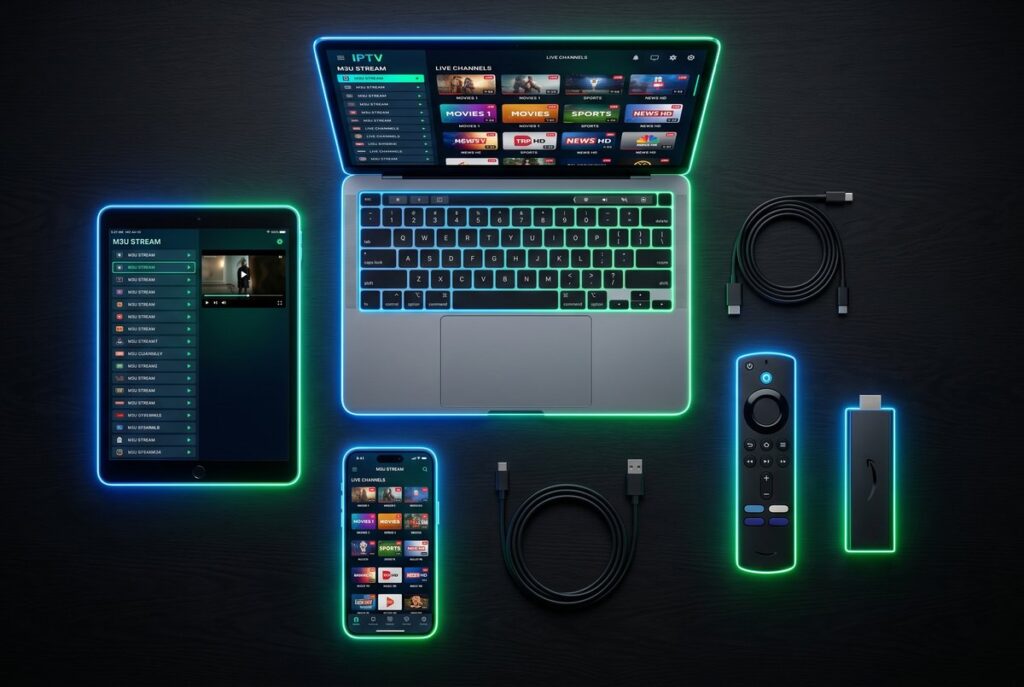
This complete guide explains everything you need to know about M3U IPTV in 2026 — what it is, how it works, how to set it up on any device, and why choosing the right provider makes all the difference.
What is M3U IPTV?
M3U IPTV refers to the use of M3U playlist files to deliver Internet Protocol Television content. An M3U file (Moving Picture Experts Group Audio Layer 3 Uniform Resource Locator) is essentially a text-based playlist format that contains links to multimedia streams — in this case, live TV channels and video content.
When an IPTV provider gives you an M3U URL, they’re handing you the master key to thousands of channels and on-demand content. Your IPTV player reads this file, decodes the list of streams, and displays them in an organized, navigable interface.
How M3U IPTV Works
The M3U IPTV process is straightforward:
- 📡 Your IPTV provider hosts thousands of live channels on their servers
- 🔗 They generate a personalized M3U URL containing all your subscription’s channels
- 📥 You load this M3U URL into any compatible IPTV player
- 📺 The player reads the playlist and streams content directly to your device
💡 Quick Fact: A single M3U IPTV file from a premium provider like IPTVUSAA can contain access to 50,000+ live channels and 200,000+ on-demand titles — all from one URL.
M3U vs M3U8 — What’s the Difference?
You’ll often see both M3U and M3U8 mentioned when researching IPTV. While similar, they have one key technical difference:
| Feature | M3U | M3U8 |
|---|---|---|
| Encoding | ASCII / Latin-1 | UTF-8 |
| Character Support | Latin only | All languages (Arabic, Chinese, etc.) |
| File Extension | .m3u | .m3u8 |
| Modern Standard | Older | Current standard |
| HLS Streaming | Limited | Native support |
For all practical purposes when using a premium M3U IPTV service like IPTVUSAA, both formats work identically. Modern IPTV players handle both seamlessly, and we provide M3U8 by default for the best international character support.
Why Use M3U IPTV Instead of Cable?
The shift from traditional cable to M3U IPTV is happening worldwide for compelling reasons:
1. Massive Cost Savings
Traditional cable in the United States averages $150 per month. A premium M3U IPTV subscription from IPTVUSAA starts at just $14.99/month — or as low as $6.33/month with annual billing. That’s 90% cheaper for more content.
2. Unlimited Channel Selection
Cable companies offer 200-500 channels with most being filler. A quality M3U IPTV playlist gives you access to 50,000+ channels from around the world — including premium sports, movies, news, and international content.
3. True 4K Ultra HD
While cable struggles to deliver consistent HD quality, modern M3U IPTV streams deliver native 4K with HDR support — provided you have a quality provider with enterprise-grade servers.
4. Watch From Anywhere
Your M3U URL works wherever you have internet. Traveling? Use it. At work? Use it. Visiting family? Use it. Cable is locked to one address forever.
5. No Contracts or Hidden Fees
Cable companies trap you with 12-24 month contracts, equipment rental fees, and surprise charges. M3U IPTV is pay-as-you-go with no surprises.
💰 Real Math: Cable for 12 months = $1,800. IPTVUSAA annual = $75.99. That’s $1,724 in savings per year for better quality and more content.
How to Set Up M3U IPTV — Step by Step
Setting up M3U IPTV is surprisingly simple. The whole process takes under 5 minutes on any device.
Step 1: Get Your M3U URL
After subscribing to a reputable IPTV provider like IPTVUSAA, you’ll receive your personalized M3U URL via email within 1 hour. The URL looks something like this:
http://server.iptvusaa.com:8080/get.php?username=YOURNAME&password=YOURPASS&type=m3u_plus
Step 2: Choose an IPTV Player
The most popular and reliable IPTV players that support M3U URLs include:
- 🏆 IPTV Smarters Pro — Best for beginners (Android, iOS, Smart TV, Windows)
- ⭐ TiviMate — Premium experience (Android TV, Firestick)
- 📺 Smart IPTV — Built-in for many Smart TVs
- 💻 VLC Media Player — Free option for PC and Mac
- 📱 GSE Smart IPTV — Popular iOS option
Step 3: Add Your M3U URL
Open your chosen player and look for one of these options:
- “Add Playlist”
- “Add URL”
- “M3U URL”
- “Load Playlist”
Paste your M3U URL exactly as provided — no extra spaces, no modifications.
Step 4: Wait for Channels to Load
The player takes 10-30 seconds to download and organize your M3U playlist. Once loaded, you’ll see all your channels categorized by country, genre, or quality.
Step 5: Start Watching
Click any channel to start streaming. That’s it — you’re now using M3U IPTV like a pro.
💡 Pro Tip: For detailed device-specific instructions including Firestick setup with Downloader code, visit our complete IPTV Setup Guide.
Best Devices for M3U IPTV in 2026
M3U IPTV works on virtually any modern device with internet access. Here are the most popular options:
🔥 Amazon Firestick & Fire TV
The most popular IPTV device worldwide. Affordable ($30-50), portable, and supports all major IPTV apps. Installation via the Downloader app is quick and easy.
📺 Smart TVs (Samsung, LG, Sony)
Most Smart TVs from 2018+ support M3U IPTV through built-in apps like Smart IPTV, SS IPTV, or IBO Player. No additional hardware needed.
🤖 Android TV Boxes
Mi Box, Nvidia Shield, and similar Android TV devices offer the best balance of features, performance, and price for M3U IPTV viewing.
📱 Smartphones & Tablets
iOS users have Smarters Player Lite, GSE Smart IPTV, and IPTV Smarters Pro. Android users have even more options. Perfect for watching anywhere.
📦 MAG Boxes
Dedicated IPTV boxes (MAG 322, MAG 524, etc.) offer the smoothest experience for serious users who want a TV-only setup without smart features.
💻 Computers (Windows, Mac, Linux)
Free options like VLC and Kodi work great. For better interfaces, IPTV Smarters for PC delivers a clean experience.
Common M3U IPTV Problems & Solutions
Even with the best M3U IPTV provider, you might encounter occasional issues. Here are the most common ones and how to fix them:
Problem 1: “Invalid M3U URL”
This usually means there’s a typo or extra character in your URL. Double-check:
- ✅ No extra spaces at the start or end
- ✅ The URL starts with
http://orhttps:// - ✅ Username and password are exactly as provided
- ✅ Special characters in your password aren’t misread
Problem 2: Channels Won’t Load
If the M3U file loads but channels don’t play, try these solutions:
- 🔄 Restart your IPTV player completely
- 🌐 Check your internet speed (10+ Mbps for HD, 25+ Mbps for 4K)
- 🔌 Restart your router
- 🛡️ Try connecting through a VPN if your ISP blocks streaming
- 🔄 Re-add the M3U URL in your player
Problem 3: Buffering or Lag
Buffering issues usually relate to internet or server load:
- 📶 Switch to 5GHz WiFi if available, or use ethernet cable
- 🚀 Close other devices/apps consuming bandwidth
- 🌍 Choose a provider with servers near your location
- 🛡️ Try a VPN to bypass ISP throttling
Problem 4: EPG (Guide) Not Showing
The Electronic Program Guide takes a few minutes to download fully:
- ⏰ Wait 5-10 minutes after first setup
- 🔄 Force-refresh the EPG in your player settings
- 📅 Make sure your device’s date and time are correct
⚠️ Important: If problems persist, contact your M3U IPTV provider’s support. IPTVUSAA’s team responds in under 1 hour, 24/7.
What Makes a Quality M3U IPTV Provider?
Not all M3U IPTV providers are equal. Here’s what to look for when choosing:
✅ Server Quality & Uptime
Quality providers maintain 99.9% uptime with redundant servers across multiple countries. Cheap providers run on a single overloaded server that crashes during big events.
✅ Stream Quality
Look for genuine 4K streams at 60fps with HDR support — not 1080p disguised as 4K. Premium providers like IPTVUSAA stream true Ultra HD.
✅ Channel Variety
50,000+ channels covering USA, UK, Canada, Australia, Europe, Middle East, Asia, and South America — that’s the standard for premium services.
✅ EPG (Electronic Program Guide)
A complete EPG with 7-day schedules makes M3U IPTV feel like premium cable. Avoid providers without EPG support.
✅ Money-Back Guarantee
Legitimate providers offer 7-15 days money-back guarantee. IPTVUSAA offers 15 days — among the most generous in the industry.
✅ Quick Support
Premium providers respond to support requests in under 1 hour. Avoid services that take days to reply or use generic chatbot responses.
✅ Multiple Payment Options
The best providers accept cryptocurrency (Bitcoin, USDT, Ethereum) for privacy-conscious customers, plus standard credit cards.
Is M3U IPTV Legal?
This is the most common question, and the answer requires nuance.
The Technology Itself
M3U file format and IPTV technology are 100% legal. They’re the same technology used by Netflix, YouTube, Disney+, and every major streaming platform worldwide.
The Content
The legal status depends on the specific content being streamed and your jurisdiction. We always recommend using a VPN like NordVPN or ExpressVPN for added privacy when streaming any internet content.
Your Responsibility
As the end user, you’re responsible for understanding the streaming laws in your country. Most countries allow private streaming for personal use, but rules vary. The M3U IPTV provider acts as a content delivery platform — how you use it is your decision.
Why IPTVUSAA is the Best M3U IPTV Provider
After comparing dozens of M3U IPTV providers worldwide, IPTVUSAA stands out as the #1 choice for serious streamers in 2026.
What makes us different:
- 📺 50,000+ Live Channels — Covering USA, UK, Canada, Australia, and 70+ countries worldwide
- 🎬 200,000+ Movies & TV Shows — Updated daily with same-day Hollywood releases
- 📱 True 4K Ultra HD M3U Streams — Native 4K at 60fps with HDR10 support
- ⚡ 99.9% Server Uptime — Enterprise infrastructure across 6 global regions
- 🛡️ 15-Day Money-Back Guarantee — Twice the industry standard
- ₿ Cryptocurrency Accepted — Pay with Bitcoin, USDT, Ethereum (100+ coins)
- 🎧 24/7 Real Human Support — Response in under 1 hour, always
- 📲 Both M3U & Xtream Codes — Works with every IPTV player
Looking to test before you commit? Try our 5-hour free trial — exclusively for serious buyers. Or visit our pricing page to choose your subscription starting at just $14.99/month.
Frequently Asked Questions About M3U IPTV
What is an M3U IPTV file?
An M3U IPTV file is a text-based playlist containing URLs to live TV streams and on-demand content. When loaded into an IPTV player, it displays thousands of channels in an organized interface.
How do I get an M3U URL?
You receive an M3U URL after subscribing to an IPTV provider. With IPTVUSAA, your personalized M3U URL is emailed to you within 1 hour of payment.
Is M3U IPTV better than Xtream Codes?
Neither is better — they’re different formats for accessing the same content. M3U uses a URL-based approach, while Xtream Codes uses username/password/server URL. Both work great. IPTVUSAA provides both formats with every subscription.
Can I use one M3U URL on multiple devices?
Yes, you can install the same M3U URL on all your devices (TV, phone, tablet). However, only one device can stream at a time per subscription. For simultaneous streams, additional subscriptions are needed.
How often does the M3U playlist update?
Premium M3U IPTV providers update their playlists 24/7. New channels appear automatically, removed channels disappear, and the EPG refreshes daily. You never need to manually update your URL.
What internet speed do I need for M3U IPTV?
For HD streaming: 10 Mbps minimum. For 4K Ultra HD: 25+ Mbps recommended. Most modern home internet easily exceeds these requirements.
Why is my M3U IPTV not working?
The most common causes are: incorrect URL entry, expired subscription, server maintenance, ISP blocking, or slow internet. If issues persist, contact your provider’s support team.
Can I share my M3U URL with friends?
Technically yes, but it’s against most providers’ terms of service and can result in your account being suspended. Plus, multiple simultaneous streams from one M3U URL will cause buffering for everyone.
Does M3U IPTV work with VLC?
Yes — VLC Media Player supports M3U URLs natively. Just open VLC, go to Media → Open Network Stream, paste your M3U URL, and press Play. It’s a free way to test your M3U IPTV.
Is M3U IPTV available worldwide?
Yes — quality M3U IPTV providers like IPTVUSAA work in every country with internet access. Servers across multiple continents ensure low latency wherever you are.
🎯 Ready to Try the Best M3U IPTV?
Stop paying $150/month for cable. Get 50,000+ channels in true 4K from just $14.99/month with IPTVUSAA — the #1 M3U IPTV provider worldwide.
Want to test first? Try our 5-hour free trial — for serious buyers only.
Need help setting up? Check our complete Setup Guide with step-by-step instructions for every device.
Questions? Contact our 24/7 support at support@iptvusaa.com — average reply under 1 hour.